TL;DR: CODE. You can build really robust MCP servers in Rust using the
rmcpcrate. Things you need to know is: tool_router, tool_handler, and tool parameters!
MCP, the Model Context Protocol, is an open protocol that makes standard how applications provide context, tools and resources to Large Language Models. You best experience MCP through the use of MCP Servers inside of your coding assistants (and other LLM power tools). In a practical sense they provide your tools additional context and functionality. From giving you the latest access to docs (like in the AWS Docs MCP server) to allowing you to create and interact with databases (like with the Neon MCP Server). All in all they can be critical for productivity work.
…
So why are they being built in Python? 🤔
Don’t get me wrong, making MCP servers in Python is a breeze. Check out this example using FastMCP:
from mcp.server import FastMCP

# Create an MCP server
mcp = FastMCP("Calculator Server")

# Define a tool
@mcp.tool(description="Calculator tool which performs calculations")
def calculator(x: int, y: int) -> int:
    return x + y

# Run the server with SSE transport
mcp.run(transport="sse")
That’s it. The MCP server is ready to accept MCP clients and do its thing! 🚀
However, I think we can make this better. We can have it be fast, compiled, safe and written in Rust 🦀 (I am fully aware that this just adds to the “Just rewrite it in Rust” meme).
Let me keep this segment brief.
Python 🐍:

Rust 🦀:

Not only that, (with the risk of going meta here) I do find that using coding assistants with Rust feels way more productive. Errors and issues are caught very early on, due to the compiler being what it is.
This example is of a MCP server called Grimoire-MCP that does a bunch of filesystem operations in which it writes and reads files off a local disk. While the original was written in Rust I’ve used some Kiro magic to have it converted into Python running with FastMCP. I’ve ensured that the feature parity is the same, and also that there are no non-optimal tasks being performed by the Python version.
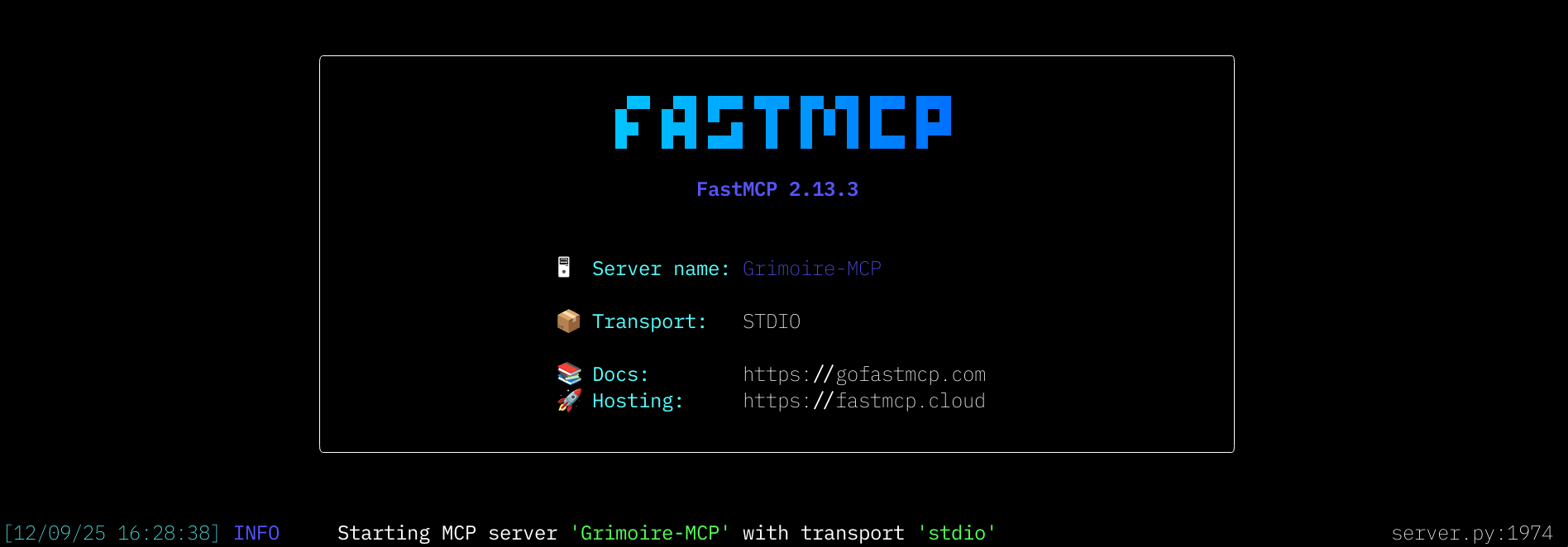
Although, I must give FastMCP a lot of credit for making the exercise of building MCP servers so simple and straightforward. The Rust MCP server building experience leaves a lot to be desired. Oh, and FastMCP has this utterly glorious splash screen 😍
Okay, let’s get building.
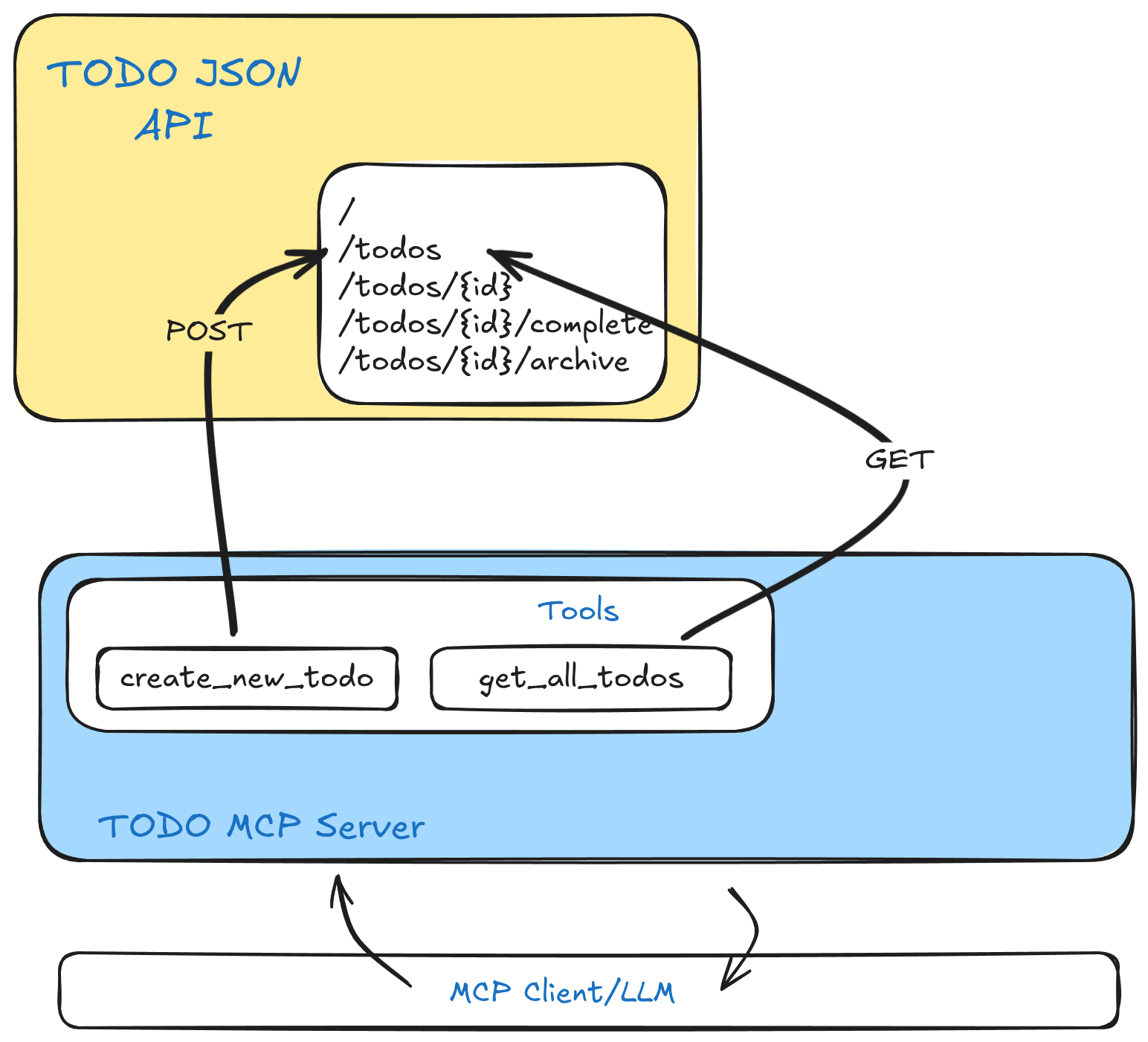
Today I will show you how to build a simple MCP server that will read and write to a CRUD JSON API (that I have running locally). While this is a rather simple example, it should cover most of the things you need to be able to build a MCP Server that uses stdio as its transport layer.
Please note:
You will need to have this CRUD API up and running locally. There is a quick start guide there that will get you through setting it up (you just need Rust, Docker, and just). Make sure to have this server running somewhere in the background on your local (or remote, do what you want) machine.
Let’s set up a project - crud_mcp:
cargo new crud_mcpTo install the required crates, make sure your Cargo.toml has the following dependencies:
anyhow = "1.0.100"
reqwest = "0.12.25"
rmcp = { version = "0.11.0", features = ["reqwest", "transport-io", "uuid"] }
serde = { version = "1.0.228", features = ["derive"] }
serde_json = "1.0.145"
tokio = { version = "1.48.0", features = ["full"] }
tracing = "0.1.43"
tracing-subscriber = { version = "0.3.22", features = ["env-filter"] }
Okay, let’s add some scaffolding to our main.rs file. This will just set up some tracing for better debugging.
use anyhow::Result;
use tracing_subscriber::EnvFilter;

#[tokio::main]
async fn main() -> Result<()> {
    // Initialize the tracing subscriber with stdout logging
    tracing_subscriber::fmt()
        .with_env_filter(
            EnvFilter::from_default_env()
                .add_directive(tracing::Level::DEBUG.into())
        )
        .with_writer(std::io::stderr)
        .with_ansi(false)
        .init();

    // Show a message that the MCP server has been started
    tracing::info!("Starting CRUD MCP Server");

    Ok(())
}
This does not really bring us any closer to building the MCP server, but it’s a good first step. Now, let’s configure the MCP server components in a separate file todos.rs.
According to the MCP Specification the server offers the following features to the clients:
In this example, we will only implement the Tools, but to be honest that’s what most of the other MCPs offer as well. So let’s implement the needed scaffolding for our MCP server to exist and start offering tools.
In the todos.rs file add the following:
use rmcp::{handler::server::tool::{ToolRouter}, model::{CallToolResult, Content, Implementation, InitializeResult, ProtocolVersion, ServerCapabilities, ServerInfo}, tool, tool_handler, tool_router, ServerHandler};
use rmcp::ErrorData as McpError;

// Struct for our Tools and Tool Router
#[derive(Clone)]
pub struct TodoMcpServer {
    tool_router: ToolRouter<Self> // This is a required field
}

// Here be tools
#[tool_router] // Macro that generates the tool router (there can be more than one router)
impl TodoMcpServer {
    pub fn new() -> Self {
        Self {
            tool_router: Self::tool_router()
        }
    }

    // Tools ???
}

#[tool_handler] // Macro that will generate a tool handler
impl ServerHandler for TodoMcpServer {
    fn get_info(&self) -> rmcp::model::ServerInfo { // Present the information back to the client
        ServerInfo {
            protocol_version: ProtocolVersion::V_2025_06_18, // Defining the protocol version
            capabilities: ServerCapabilities::builder()
                .enable_tools() // Only enable tools, but we can also .enable_prompts() and .enable_resources()
                .build(),
            server_info: Implementation::from_build_env(), // Info on the MCP gathered from the build_env
            instructions: Some( // Instructions sent back to the MCP client - your prompt magic goes here.
        "I manage a list of TODOs. That are stored behind an API server.

        The available actions are:
        ".to_string()),
        }
    }
    async fn initialize( // Finally initialize the server
            &self,
            _request: rmcp::model::InitializeRequestParam,
            _context: rmcp::service::RequestContext<rmcp::RoleServer>,
        ) -> Result<InitializeResult, McpError> {
            Ok(self.get_info())
    }
}
I made sure to leave a bunch of comments in the code, but it should make a lot of sense. We are doing the following:
TodoMcpServernew() function for that StructServerHandler with get_info() and initialize() for the TodoMcpServer structYou may notice, there are no tools yet! That is fine, let’s make sure this all works before adding any other complexities, such as tools.
Before we move forward, let’s make some changes to the main.rs. At the top of your main.rs make sure to add a mod todos; and a few more lines:
mod todos;

use anyhow::Result;
use rmcp::{ServiceExt, transport::stdio};
use tracing_subscriber::EnvFilter;

// Importing the MCP Server
use crate::todos::TodoMcpServer;

#[tokio::main]
async fn main() -> Result<()> {
    // Initialize the tracing subscriber with stdout logging
    tracing_subscriber::fmt()
        .with_env_filter(
            EnvFilter::from_default_env()
                .add_directive(tracing::Level::DEBUG.into())
        )
        .with_writer(std::io::stderr)
        .with_ansi(false)
        .init();

    // Show a message that the MCP server has been started
    tracing::info!("Starting CRUD MCP Server");

    // Create an instance of our MCP Server and start serving on STDIO
    let service = TodoMcpServer::new().serve(stdio()).await.inspect_err(|e| {
        tracing::error!("serving error: {:?}", e);
    })?;

    // Run the service
    service.waiting().await?;
    Ok(())
}
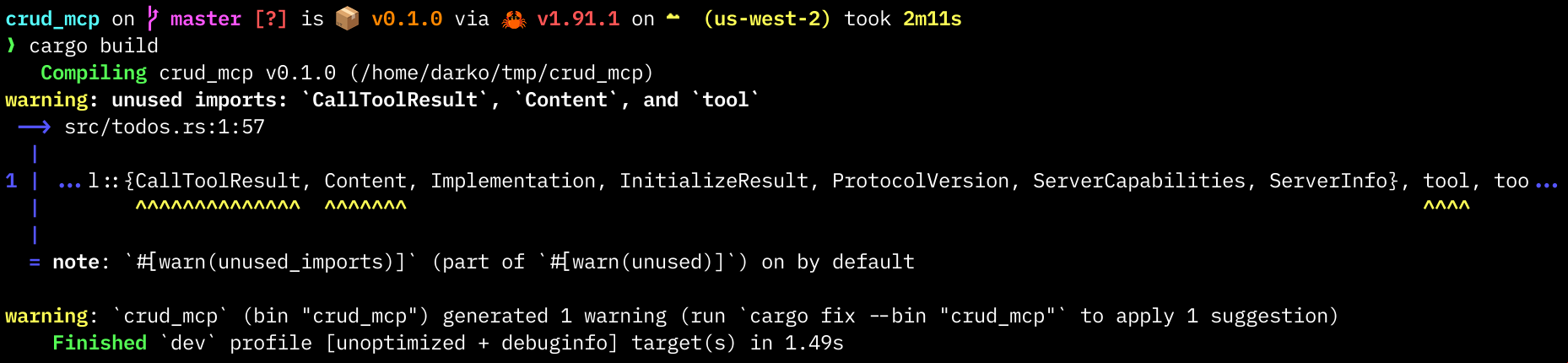
If you save now, and run cargo build you should have successfully compiled your first MCP server. Huzzah! 👏
To fully test it just run will just mcp-test
justfileHopefully you’ve installed just during the set up of the CRUD API. But if you haven’t yet. Now is the perfect time as any. Just is a simple command runner, like the good ol’ make just made for the modern world.
In this tutorial I have the following justfile:
USER_ID := "550e8400-e29b-41d4-a716-446655440001"
release:
  cargo build --release

# Test with MCP inspector
mcp-test: release
  npx @modelcontextprotocol/inspector -e USER_ID={{ USER_ID }} ./target/release/crud_mcp
While the use of just is not mandatory for this tutorial, I find it way convenient to run complex commands with just … just.
Back to it.
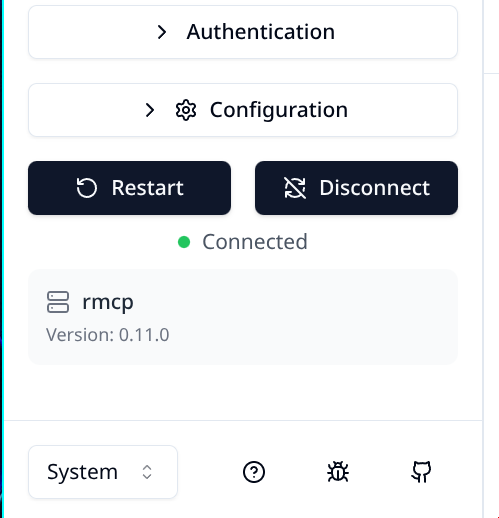
Whoa, what is that - a browser? 🫢 Yes, we are using the MCP Inspector tool to help us determine if our MCP server is actually doing what an MCP server should be doing.
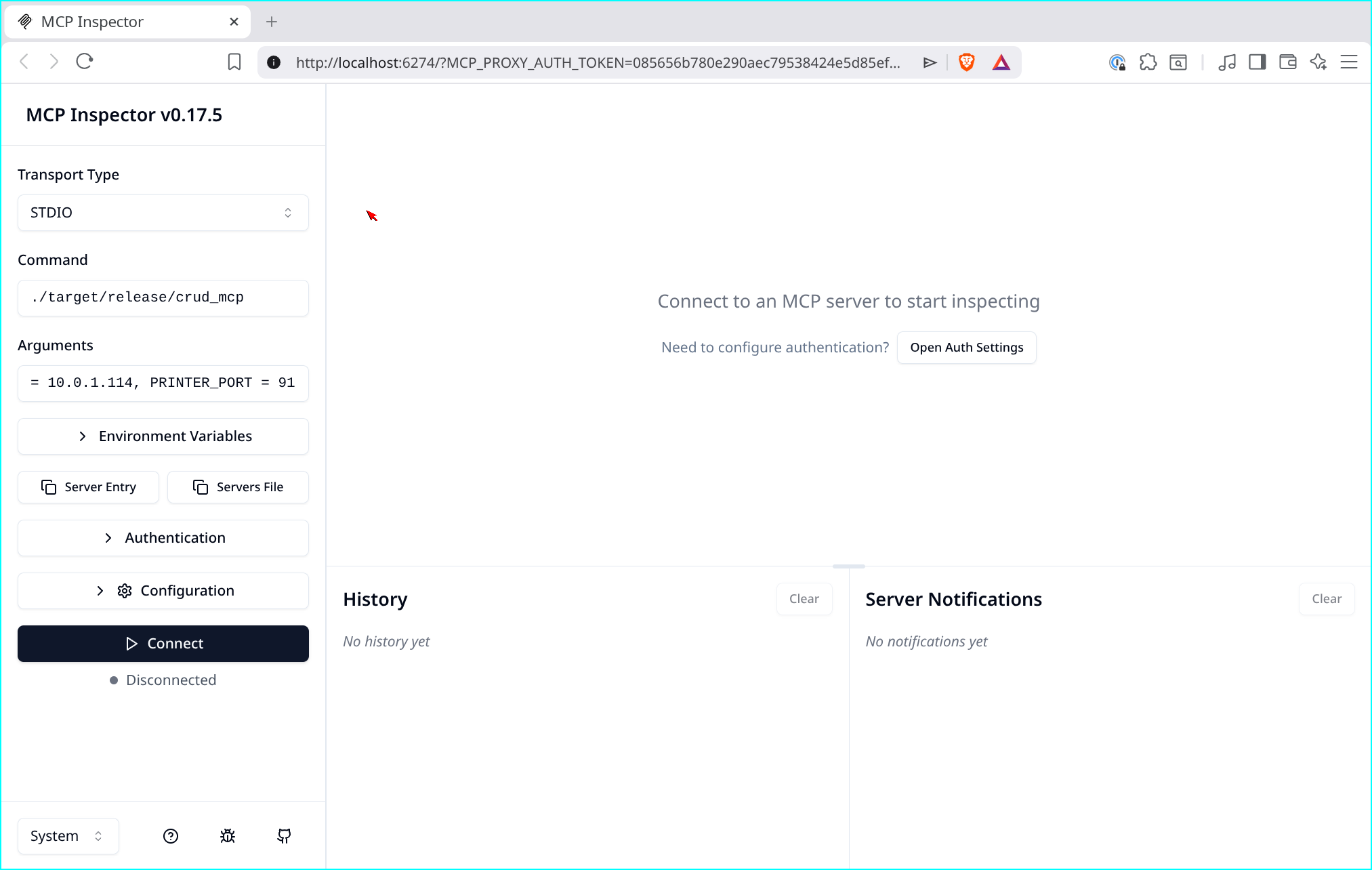
If everything worked correctly, hitting the big Connect button should you being connected to the MCP server. And then if you click on the List Tools button in the Tools box, you should get - absolutely nothing. But that is good. Feel free to poke around the inspector. Try to find where are the instructions we sent over to the MCP Client.
Okay, finally let’s add some tools. For the first tool we will just issue a command to our API to get all the TODOs.
Please note
This API does not implement any sort of user authentication, while we are passing a
user-idthere is nothing actually handling it in the back
To add the tools we will need to add some functionality to todos.rs. Namely we will be creating Todo and Todos structs, that will give us the ability to call the API and retrieve all the todos. We will be using the reqwest crate to make the API calls and serde to deserialize the response back into the object. I wont go too deep into this, as this is not the purpose of this tutorial. But rest assured, that this is just pure Rust, and has no MCP specific flavor to it.
Here is just this bit in the todos.rs:
use std::sync::Arc;

// [... rest of the code ...]

// Here be Todos
#[derive(Debug, Clone,Deserialize, Serialize)]
pub struct Todos {
    todos: Arc<Vec<Todo>>,
}

// Individual todo
#[derive(Debug, Serialize, Deserialize, Clone)]
pub struct Todo {
    id: String,
    user_id: String,
    date: String,
    title: String,
    body: String,
    complete: bool,
    printed: bool,
    archived: bool
}

// Impl block for our Todos. These are not Tools (yet)
impl Todos {
    // Get all TODOs from the API using reqwest
    async fn get_todos() -> Result<Self, anyhow::Error> {
        // Maybe dont hardcode URLs into your code?
        // A simple `curl` call to our API that deserializes the data into a Vector of Todo
        let response: Vec<Todo> = reqwest::get("http://localhost:3000/todos")
            .await?
            .json()
            .await?;

        Ok(Self {todos: Arc::new(response)}) // Return all todos as an Arc
    }
}

// [... rest of the code ...]
The next bit, is us actually implementing this as a tool. Let’s add a new tool to our TodoMcpServer tool router:
// [... rest of the code ...]
#[tool_router] // Macro that generates the tool router
impl TodoMcpServer {
    pub fn new() -> Self {
        Self {
            tool_router: Self::tool_router()
        }
    }

    // Tools
    /// Get all TODO entries from via the get_todos() method
    // This description is being passed onto the MCP client. The name of the tool (by default) is
    // the function name.
    #[tool(description = "Get all available TODOs in JSON format")]
    async fn get_all_todos() -> Result<CallToolResult, McpError> {
        // Call the get_todos() method to get all the todos as a Todos struct
        let todos = Todos::get_todos()
            .await
            .map_err(|e| McpError::internal_error(
                format!("Error getting TODOs: {}",e), None))?;

        // Convert it to json Content
        let content = Content::json(todos)
            .map_err(|e| McpError::internal_error(
                format!("Error converting TODOs into JSON values: {}", e), None))?;

        Ok(CallToolResult::success(
            vec![content]
        ))
    }
}
// [... rest of the code ...]
Looking at our new get_all_todos() function, let’s discuss the MCP portions of this. First off the return of the function is a CallToolResult which is a specific struct that contains the content returned by the tools execution. Next up, we are running the get_todos() function we created before and converting the received Vector of Todos into json. We are also checking if any of those calls result in an Err if so, we return a McpError::internal_error back to the MCP client to let them know something went wrong.
Lastly we are returning the given content all wrapped up in a Ok() and a CallToolResult::success. Oh, and we are also returning a vector of contents (as per the requirements).
Note:
I fully understand that I am at first deserializing data from JSON then immediately serializing it back into JSON. This is just meant to illustrate how you would work with structs. Ultimately I would just make the
reqwesthere and return the JSON, OR better yet format the results back to the MCP client and only include the data it needs (not the entire JSON)
Lastly in the get_info() function make sure your instructions are updated:
// [... rest of the code ...]
    fn get_info(&self) -> rmcp::model::ServerInfo {
        ServerInfo {
            protocol_version: ProtocolVersion::V_2025_06_18,
            capabilities: ServerCapabilities::builder()
                .enable_tools() // Only enable tools
                .build(),
            server_info: Implementation::from_build_env(),
            instructions: Some(
        "I manage a list of TODOs. That are stored behind an API server.

        The available actions are:
        - get_all_todos: Get a list of all the todos.
        ".to_string()),
        }
    }
// [... rest of the code ...]
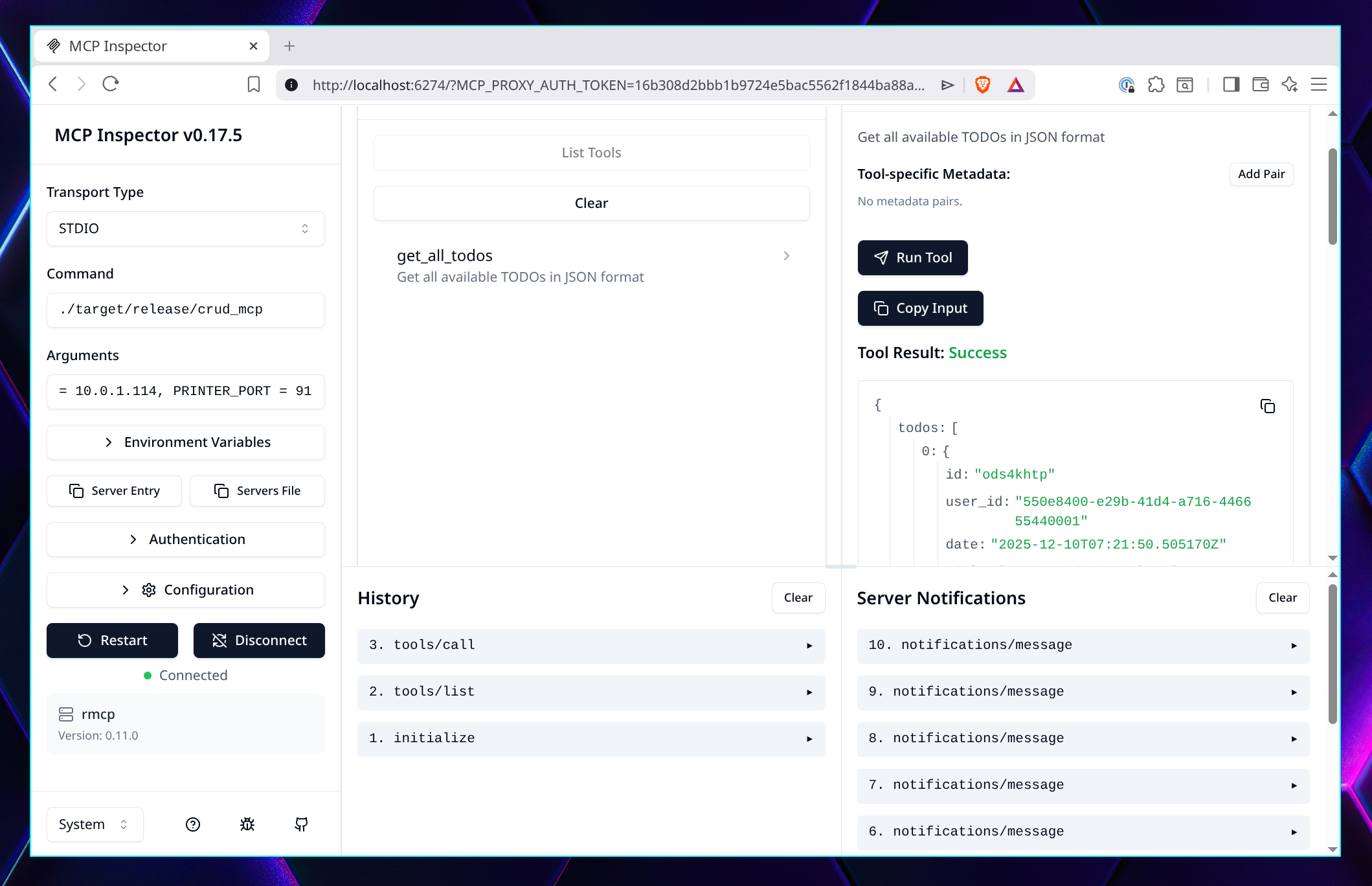
Let’s try this again. Save your files and run just mcp-test. Back on the MCP Inspector, connect to the MCP and List Tools. Whoa, there is the get_all_todos tool! 🥳 Click on it and run the tool (did you remember to run the API in the background?). Huzzah!!! Success! 🚀
In the last part of this tutorial I will teach you how to pass parameters to tools calls. And we will wrap it up there!
So far we have asked the MCP to just run a tool, no information given to the tool, nothing. Let’s implement a tool that will create a new TODO item in your API, by passing it the needed information as a parameter. There is not much to it, except creating a special struct that will contain our parameters.
Let me first implement the basic Rust functionality that will create the TODO in our API. For this we need one helper Struct and one function implemented in Todo that will make the request to the API.
// [... rest of the code ...]

// Helper Struct that we pass on to the CRUD API to create a new TODO
#[derive(Debug, Serialize, Deserialize, Clone)]
struct NewTodo {
    user_id: String,
    title: String,
    body: String
}
// [... rest of the code ...]

impl Todos {
    // [... rest of the code ...]

    /// Creates a new TODO from a tool call
    async fn create_todo(todo: NewTodo) -> Result<Todo, anyhow::Error> {
        // Again, maybe don't hardcode this
        let response: Todo = reqwest::Client::new()
            .post("http://localhost:3000/todos")
            .json(&todo) // Sending a serialized NewTodo
            .send()
            .await? // Send the request and wait
            .json() // Deserialize the JSON back
            .await?; // Wait for it to happen

        // Return the newly created TODO entry as Todo
        Ok(response)
    }
}
// [... rest of the code ...]
Does that make sense? It should, as it is very similar to the previous ones, except we have a helper struct where we new todo information that we will later serialize into JSON and send over to the API. Sweet! 🔥
Now to add the MCP elements to it, we need another Struct, in this case a Parameter struct that will contain the needed parameters and their descriptions that will be passed on in a tool call. This is so we make it obvious to the MCP Client/LLM what needs to go into this tool call.
// [... rest of the code ...]

// This is a Parameter struct for creating a new TODO. This tells the LLM what it needs to pass
#[derive(Debug, Deserialize, schemars::JsonSchema)]
#[schemars(description = "Input for creating a new TODO entry")]
pub struct NewTodoParameters {
    #[schemars(description = "Title of the TODO item")]
    title: String,
    #[schemars(description = "Body of the TODO item")]
    body: String
}
Okay, this looks a little bit more daunting, but rest assure it is not. First off the NewTodoParameters struct: This is like any ol’ struct but with some additional decoration. Namely the schemars fields. These fields add to the JSON Schema document the descriptions of those fields.
We are using the schemars crate to generate JSON Schema documents
The JSON Schema Document would look something like this:
{
  "$schema": "https://json-schema.org/draft/2020-12/schema",
  "title": "NewTodoParameters",
  "description": "Input for creating a new TODO entry",
  "type": "object",
  "properties": {
    "body": {
      "description": "Body of the TODO item",
      "type": "string"
    },
    "title": {
      "description": "Title of the TODO item",
      "type": "string"
    }
  },
  "required": [
    "title",
    "body"
  ]
}Okay, onto the tool implementation. Like before, it is very similar to other tools, except it has some additional plumbing around accepting parameters. Oh, and one more thing I want to mention: Structured outputs to the MCP Client.
First look at this code:
// [... rest of the code ...]

#[tool_router] // Macro that generates the tool router
impl TodoMcpServer {

    // [... rest of the code ...]

    /// Creates a new TODO by getting the NewTodoParameters from the client
    #[tool(description = "Create a new TODO entry by passing on the title and body of the TODO item.")]
    async fn create_new_todo(
        // [ 1 ]
        Parameters(NewTodoParameters { // Extracting the value from Parameters<NewTodoParameters>
        title,
        body,
    }): Parameters<NewTodoParameters>,
    ) -> Result<CallToolResult, McpError> {

        // Get the user_id from the environment variable
        // [ 2 ]
        let user_id = std::env::var("USER_ID")
            .map_err(|_| McpError::internal_error(
                "USER_ID environment variable MUST be set".to_string(), None))?;

        // Create a NewTodo from the parameters supplied by the MCP client
        let new_todo_request = NewTodo {
            user_id,
            title,
            body
        };
        // [ 3 ]
        let new_todo = Todos::create_todo(new_todo_request) // Invoke the create_todo
            .await
            .map_err(|e| McpError::internal_error(          // Let the MCP client know if we fail
                    format!("Error creating new TODO entry: {}", e), None))?;

        // Return a structure message back instead of pure JSON
        // [ 4 ]
        let return_message = format!(
            "A new TODO entry has been created, here are its details:
            - id: {}
            - date: {}
            - title: {}
            - body: {}
            Use the ID of the TODO for any todo specific instructions.
            ", new_todo.id, new_todo.date, new_todo.title, new_todo.body
        );

        // Return CallToolResult as `text`
        Ok(CallToolResult::success(
            vec![Content::text(return_message)]
        ))
    }
}
// [... rest of the code ...]
Seen it? Good! Let’s start with [1]: The function definition here takes the NewTodoParameters struct as a parameter but it also extracts the values into a title and todo. This is called destructuring and it is pure idiomatic Rust. This makes those values immediately available to the rest of the function.
The documentation on Parameters shows that you just wrap the struct in a Parameters<T>, that works as well, but you just then have to handle extracting the values later on with a syntax I don’t really like:
#[tool(description = "Create a new TODO entry by passing on the title and body of the TODO item.")]
async fn create_new_todo(params: Parameters<NewTodoParameters>)
    -> Result<CallToolResult, McpError> {
    let user_id = "foo";

    // Extract the values from params:
    let title = params.0.title;
    let body = params.0.body;
    // Create a NewTodo from the parameters supplied by the MCP client
    let new_todo_request = NewTodo {
        user_id,
        title,
        body,
    };
I do prefer to Destructure the wrapper type in this case.
Now, onto [2], here we are simply extracting the USER_ID environment variable and erroring out if it is not set. (Remember, this MCP server example uses a fixed USER_ID for all it’s requests, ultimately this would be a value extracted from a JWT token or something). Moving on to [3] here we invoke the create_todo() function with the NewTodo struct, this is where the call to the API happens. And lastly, [4] we format the return message.
You maybe asking yourself: “But, Darko, why are we not just returning the response from the API back?”. Well, this is where smart the MCP server construction happens, namely context management. Ask yourself the question: “Does the MCP client really need the entire JSON response?”. In this case, no. It just needs the some of the details from the newly created TODO and it should be good on its way to work with it. When you are building your MCP server you want to make sure not to hammer the context window with unnecessary data. It’s super easy to just throw whatever response you have back into it, but you want to preserve that context for what’s important.
And that’s it! We just return our response_message as Content::text() and the MCP client has it all done.
Before you close your todos.rs, I’d suggest updating your instructions and adding a point - create_new_todo: Create a new todo entry. Just so the MCP client know what we have! Always keep your instructions crisp! ✨
Okay, let’s try it out. Make sure your ajde TODO API is running in the back, and let’s test our MCP:
just mcp-testNow, on the MCP Inspector select the create_new_todo tool and give it a title and a body. Hit Run Tool:
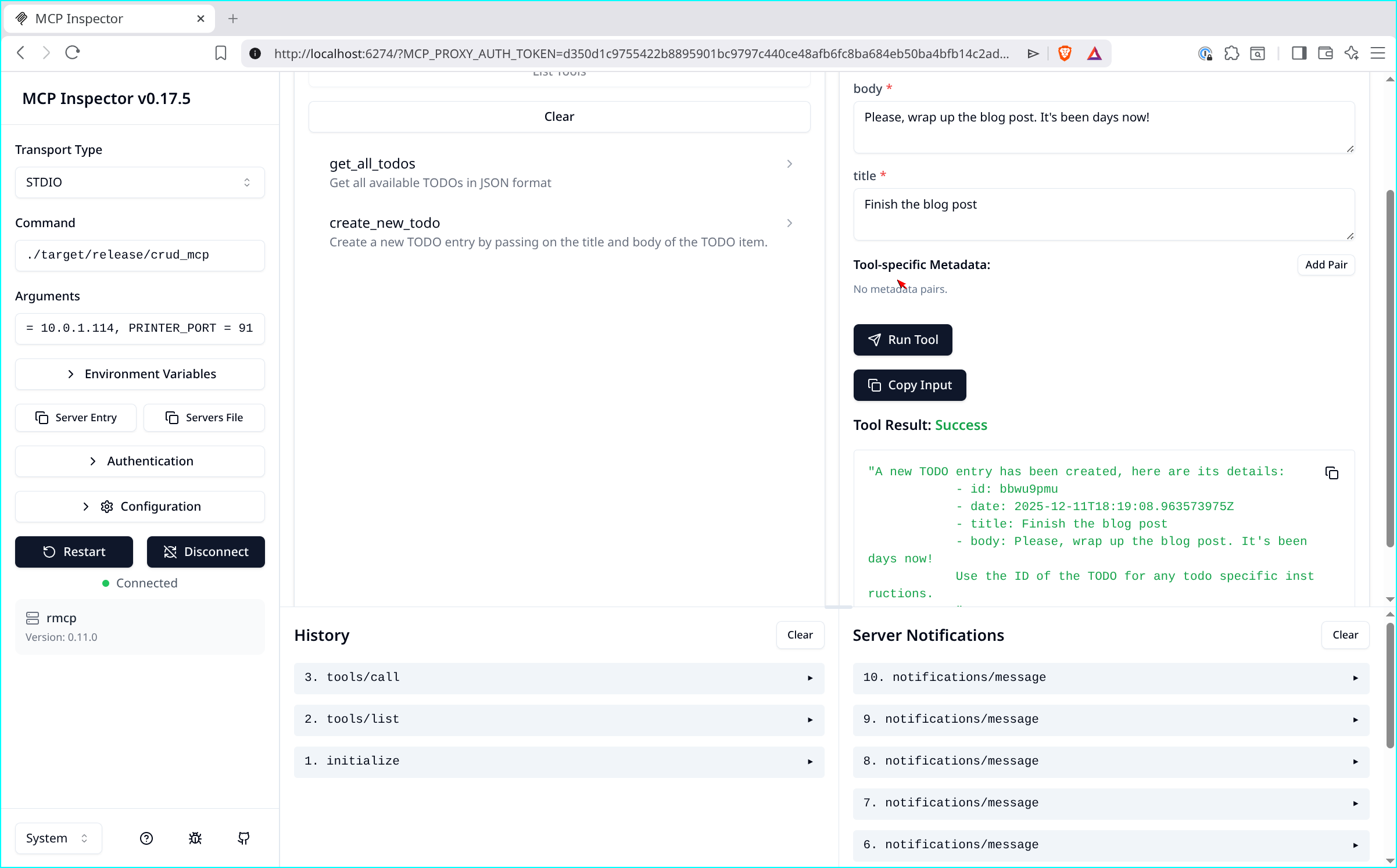
Hooray! 🚀 You did it! Now, let’s just wrap this up by testing it in an actual coding assistant.
To test this out, I will be using Kiro CLI. When running Kiro CLI I edit my agent with the /agent edit -n bloggy command, and add the following to the mcpServers portion of the configuration:
"mcp_crud": {
  "command": "/home/darko/tmp/crud_mcp/target/release/crud_mcp",
  "env": {
    "USER_ID": "550e8400-e29b-41d4-a716-446655440001"
  },
  "disabled": false,
  "autoApprove": [],
  "disabledTools": []
}
Please NOTE: The command is the path to the compiled binary on your local machine. So this will be different that what I have here, and the USER_ID is just the same one I have in the justfile.
This json will work for most other coding assistants, so if you are not using Kiro, just add it to whatever other tool you are using! 😍
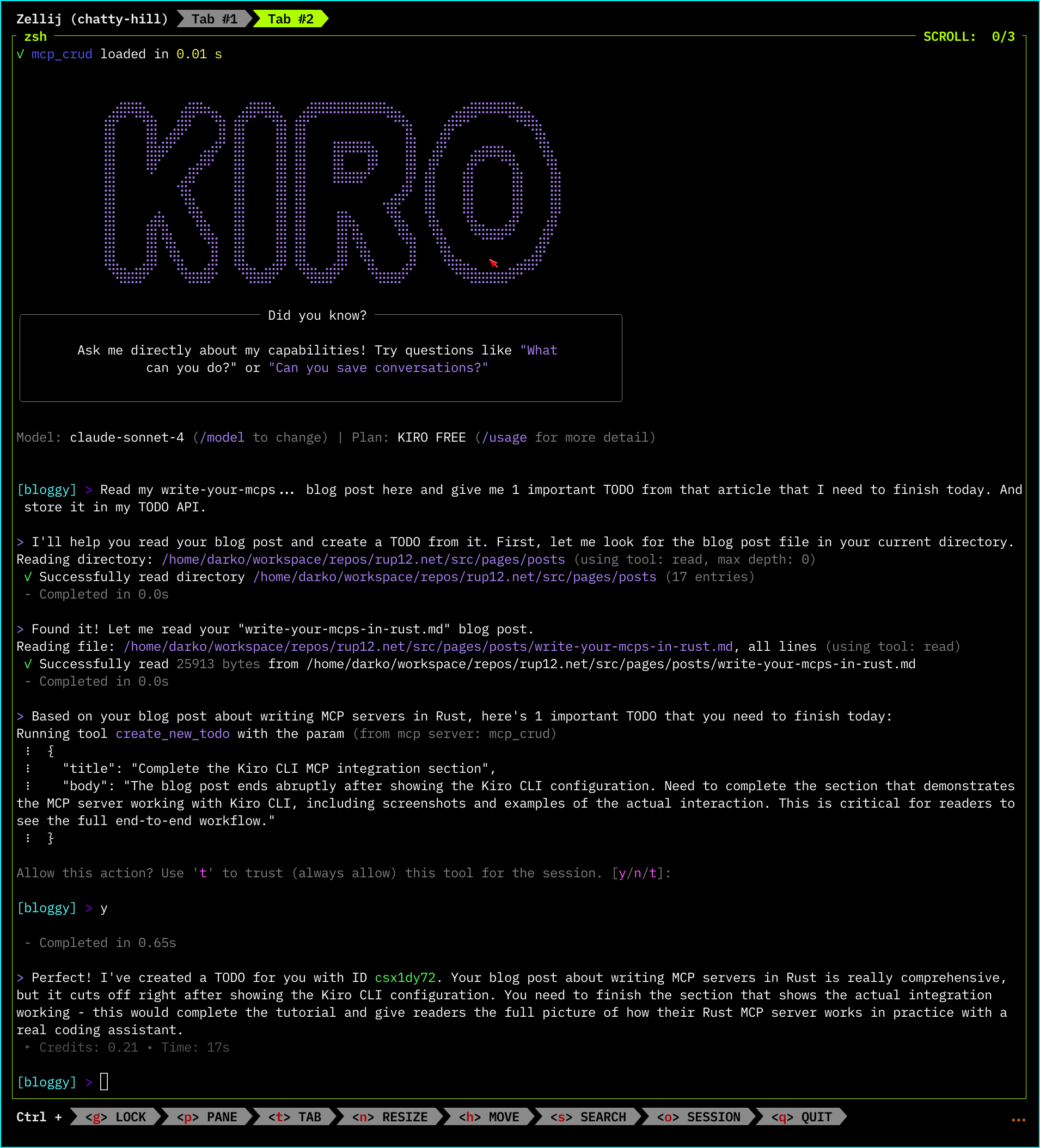
Look at that! 👏
That’s it folks! Your first MCP Server written in Rust! 🦀 As you can see it does take a little bit more plumbing than something built with FastMCP, but at the end of it you get something that is really quite robust.
An excellent comment came up on LinkedIn by Svetozar: “Do we need to optimize for this? Your LLM calls are dominating your execution time anyway.” And that is an absolutely fair take. Faster MCP servers do not really add to the fact that LLM calls are just so slow. But, when it comes to the ergonomics of writing Rust, and especially if you go into making some more complex / intensive tool calls, I do see Rust as being the right choice here. But what do I know, I am just drinking the Rust cool aid! 😅
I do see a future where the entire MCP server plumbing is done with a more approachable framework like FastMCP, but the actual tools are built in Rust! So keep an eye out for that! 👏
If you want to see the entire code/project - check out my Github repo.
Until next time friends! Don’t forget to tip your compiler! 🦀
If you want to level up your Rust error handling beyond what we did here, check out Custom Error types that actually work!.

